Have you ever wished your little program could do something HUGE — like paint a picture, check the weather, or talk to a robot brain? It can! The secret is something called an API. Let's find out what that means. 🚀
🍽️ The Big Idea: An API Is Like a Waiter
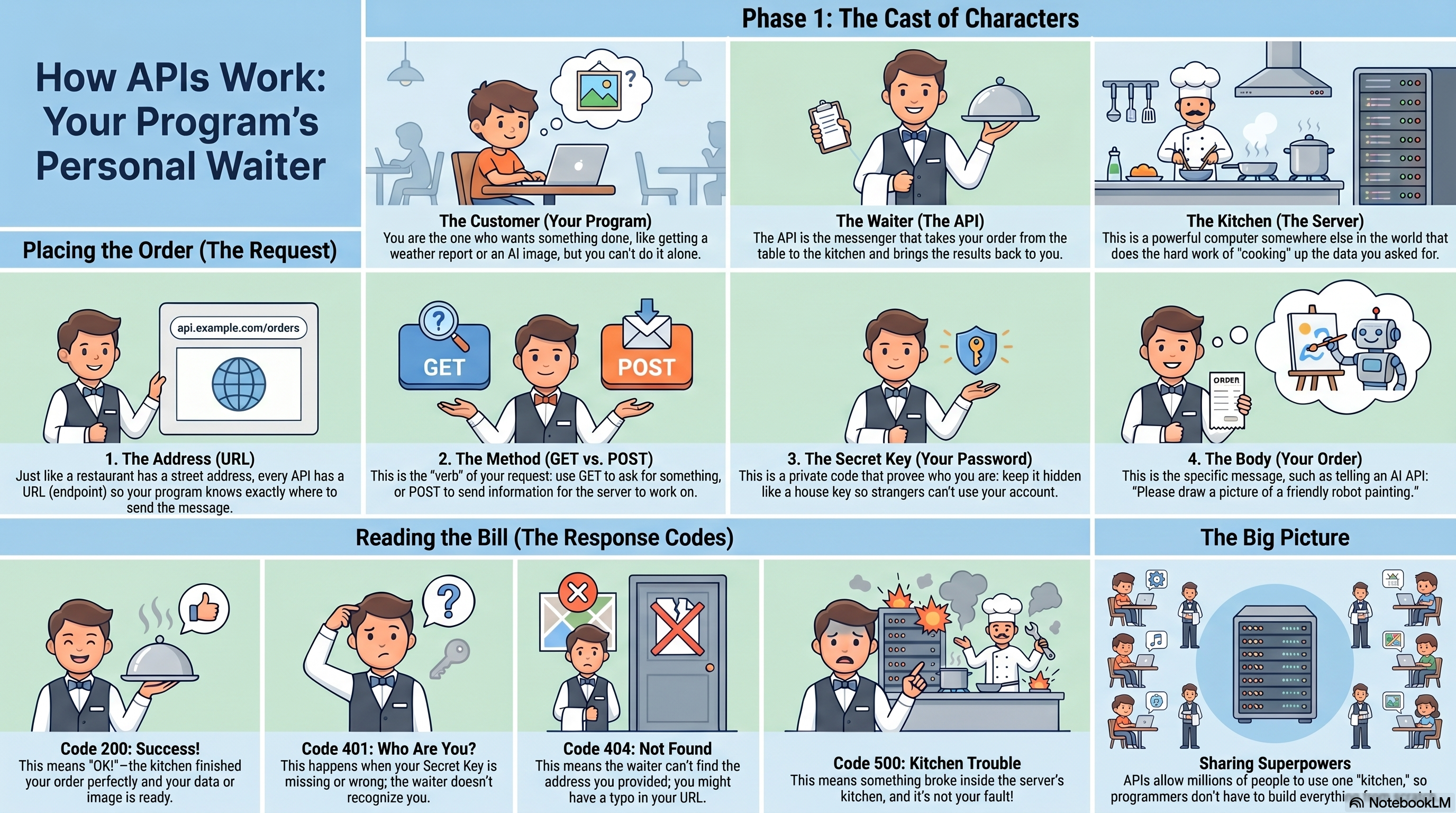
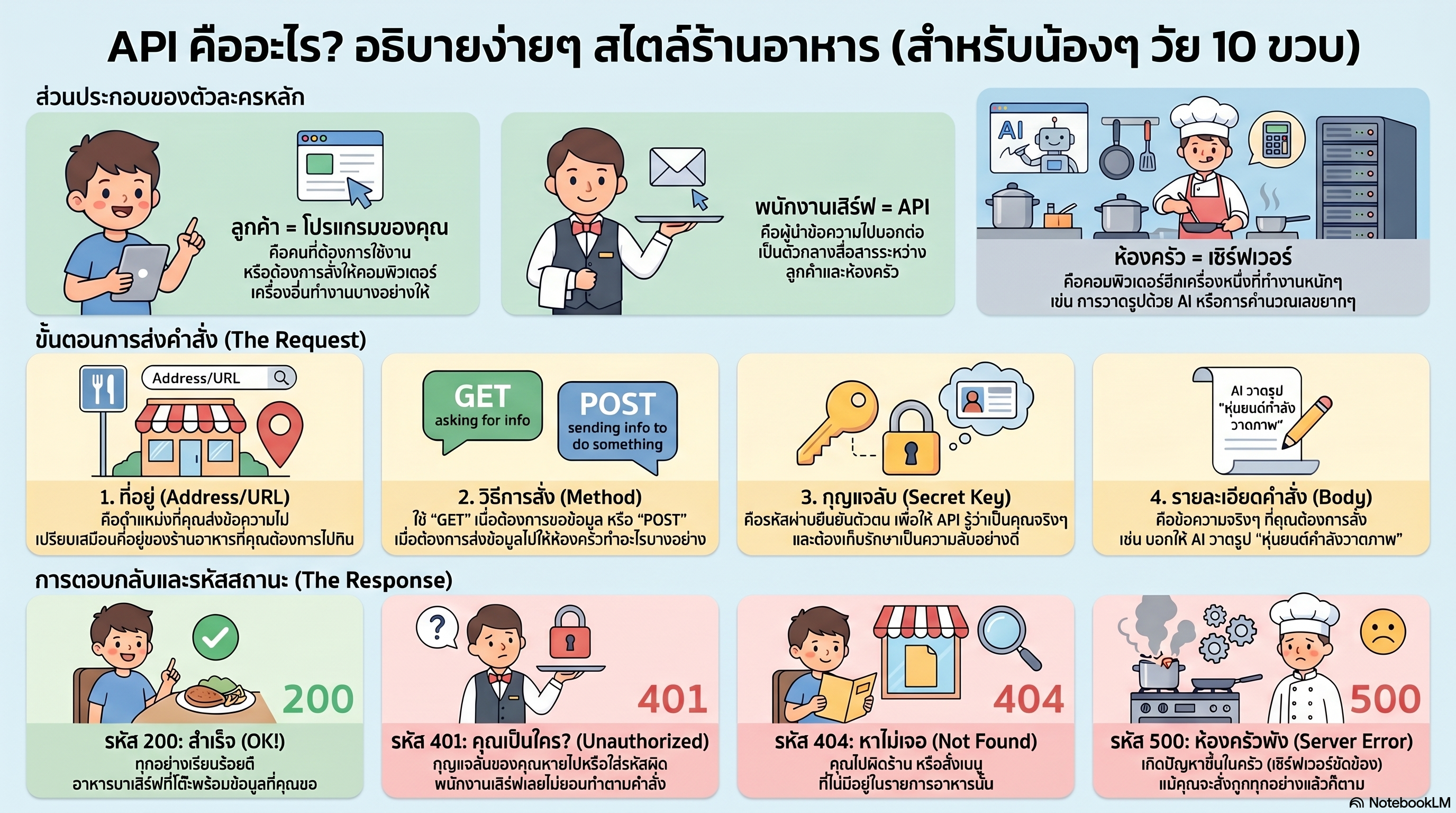
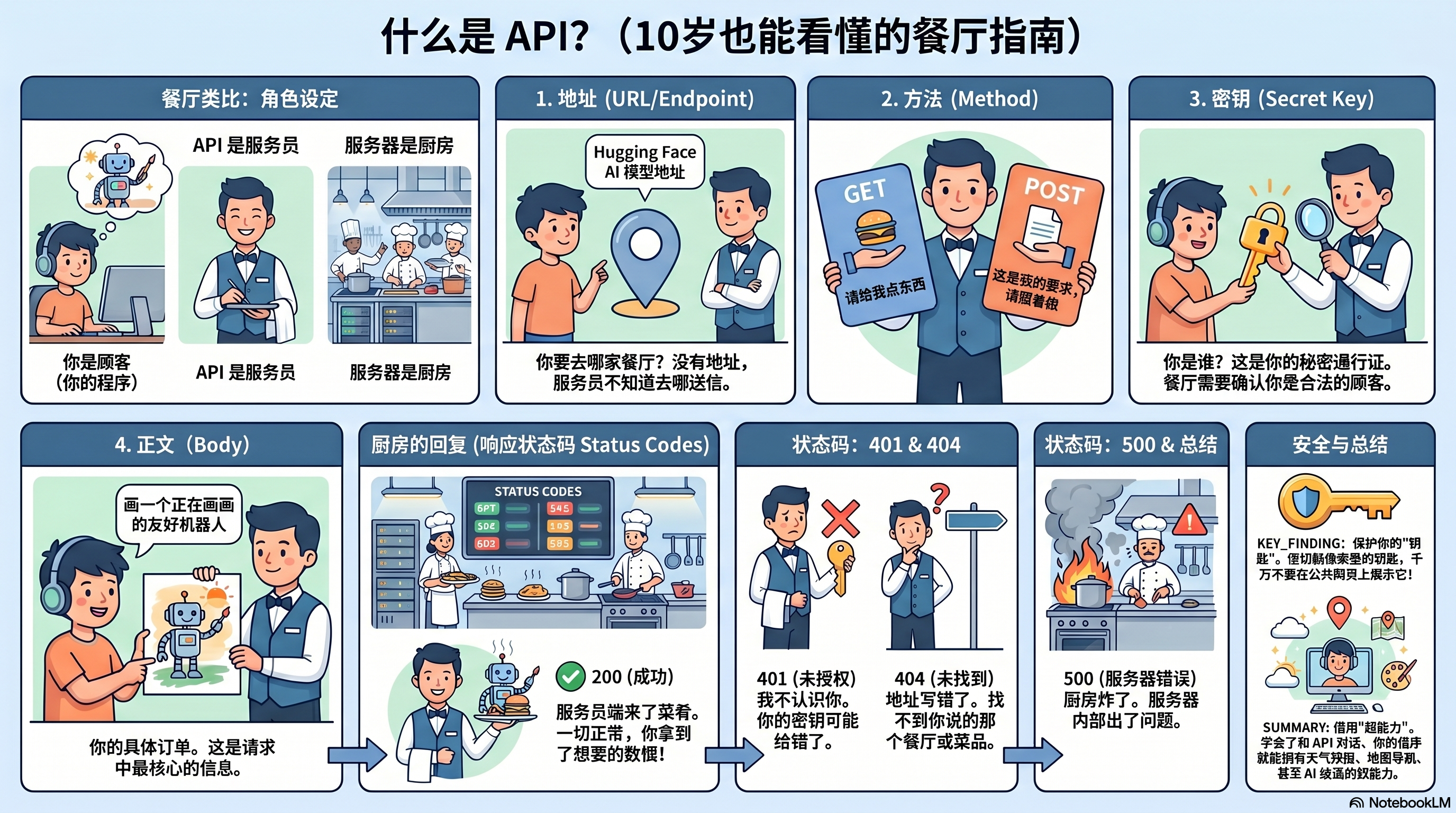
Imagine you go to a restaurant. You don't run into the kitchen and cook your own food! Instead, a waiter takes your order to the kitchen, and brings the food back to your table.
An API is exactly like that waiter. The letters stand for Application Programming Interface — but you can just think of it as a helpful messenger that carries messages between two computer programs.
Your Program
The hungry customer who wants something.
The Waiter
Carries your order there, and the answer back.
The Kitchen
The big computer that does the hard work.
✨ Why APIs are amazing
APIs let a tiny program borrow the superpowers of a giant computer somewhere else in the world. A weather app doesn't measure the temperature itself — it asks a weather API. A program that draws pictures from words just asks an Artificial Intelligence API to paint them. One team builds the kitchen once, and millions of people get to order from it. 🌍
📨 How an API Conversation Works
Talking to an API is a tiny, polite conversation. Your message to the API is called a request, and what comes back is the response. Every request is made of four parts — think of them as filling out an order slip:
📍 The Address
WHERE you send your message — the API's web address, called the URL or endpoint. Like the restaurant's street address.
🏃 The Method
WHAT you want to do. GET = "please give me something." POST = "here is some info, please make something."
🔑 The Key
WHO you are — your secret password so the API knows it's really you. Keep it secret, like your house key!
📝 The Body
THE ORDER itself. For a picture API, this is the words describing what you want: "a friendly robot painting."
After the kitchen is done, the response comes back with a special number called a status code that tells you how it went — a bit like a thumbs-up or thumbs-down:
🤗 Our Real Example: The Hugging Face Image API
Hugging Face is a famous website where people share Artificial Intelligence "robot brains" — think of it as a giant library of AI models that anyone can borrow for free. We'll use one called FLUX.1-schnell (schnell means "fast" in German). You send it a sentence, and it paints a real picture for you! 🎨
- Get a free token (your secret key) from huggingface.co/settings/tokens
- Send a
POSTrequest to the model's address with your sentence in the body - The API sends back the bytes of a JPG image — save them to a file and open your new picture!
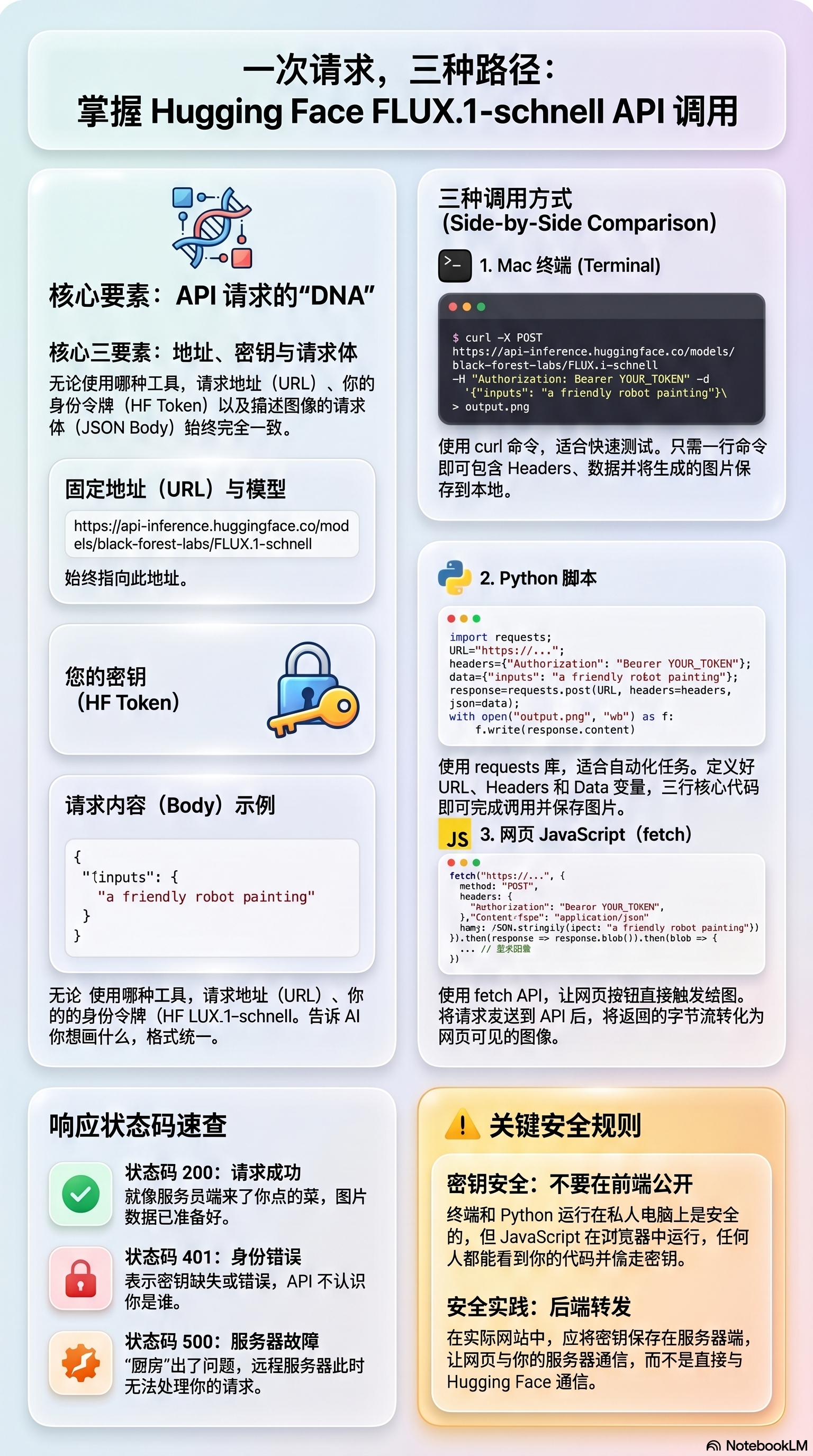
The model's address (endpoint) is always the same:
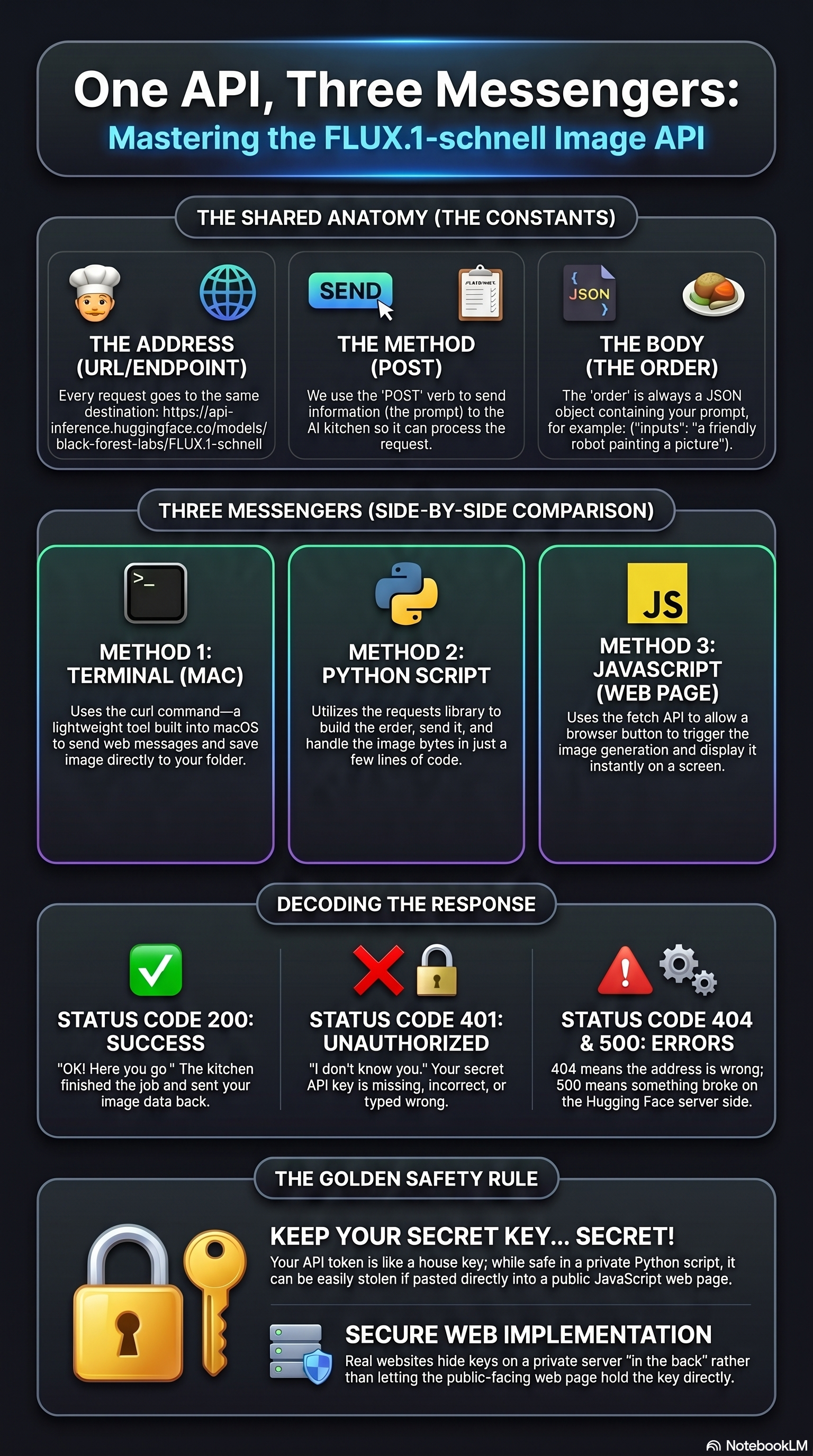
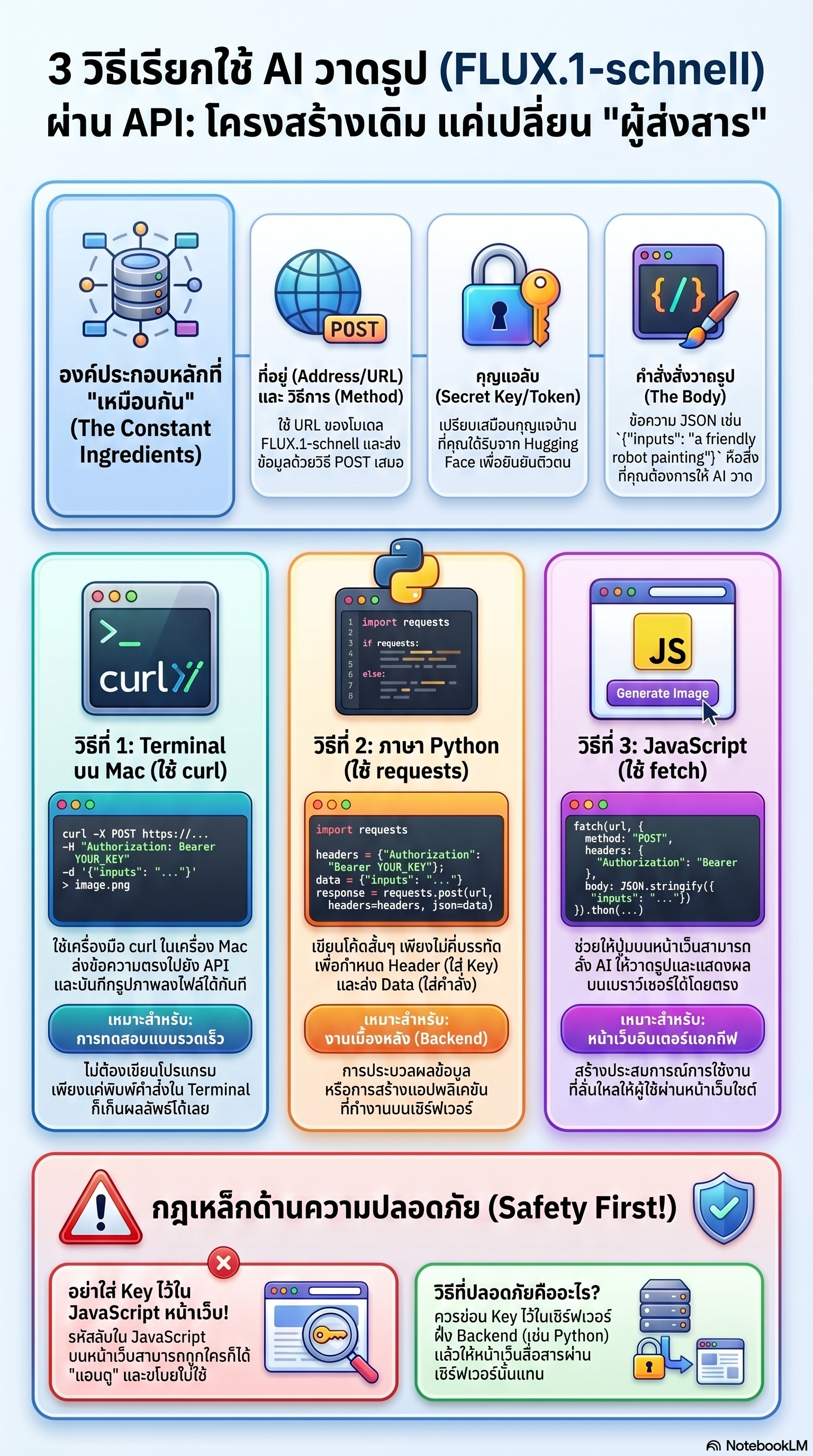
🪄 Here's the best part: the conversation is the same no matter which tool you use to talk. Same address, same key, same order — only the messenger changes. Let's see the exact same request from three different places.
🔐 First: save your key once
All the examples below read your key from an environment variable called HF_TOKEN. Set it once, and you never have to paste your real key into a code file again.
1️⃣ From the Terminal on a Mac (curl)
The Terminal is a text window where you type commands to your
computer. curl is a tiny built-in tool that sends web
messages. This one command sends the order and saves the picture
as robot.jpg:
2️⃣ From a Python Script (requests)
Python is a friendly programming language. The requests library makes web messages easy. Just a few lines: build the order, send it, and save the picture.
3️⃣ From JavaScript in a Web Page (fetch)
JavaScript is the language that makes web pages come alive. With fetch, a button on a website can ask the API for a picture and show it right on the screen — no page reload needed!
⚠️ Super Important Safety Rule
Your secret key is like your house key. In the Terminal and in Python (which run on your own computer), keeping the key there is safe. But in JavaScript inside a web page, EVERYONE who visits could peek and steal your key! 😱
That's why real websites hide the key on a server "in the back" and let the web page talk to that server instead. The example above is great for learning — but never put your real secret key in a public web page.
🛠️ Try It: Build Your Own Request
Type a picture idea below and watch the curl command change in
real time. This is the exact command you'd paste into a Mac Terminal
(after adding your own token). Nothing is sent anywhere — it's just to play with! 👇
🎬 Watch & Learn — in 3 Languages
We made video lessons and picture posters (infographics) that explain everything on this page. Pick your language: English, ภาษาไทย (Thai), or 中文 (Chinese). 🌏
🎓 What You Learned
- An API is a messenger (a waiter 🧑🍳) between two programs.
- Every call is a polite conversation: address, method, key, body → then a response with a status code and your data.
- The same Hugging Face image request works from the Terminal, from Python, and from JavaScript — only the messenger changes.
- Keep your secret key secret — especially in web pages! 🔑
Once you can talk to one API, you can talk to thousands — for weather, maps, music, games, and AI that paints pictures from your words. Now go borrow some superpowers! 🦸